
Products & Catalog
Variants, photos, SEO and marketplace SKUs — all in one product form.
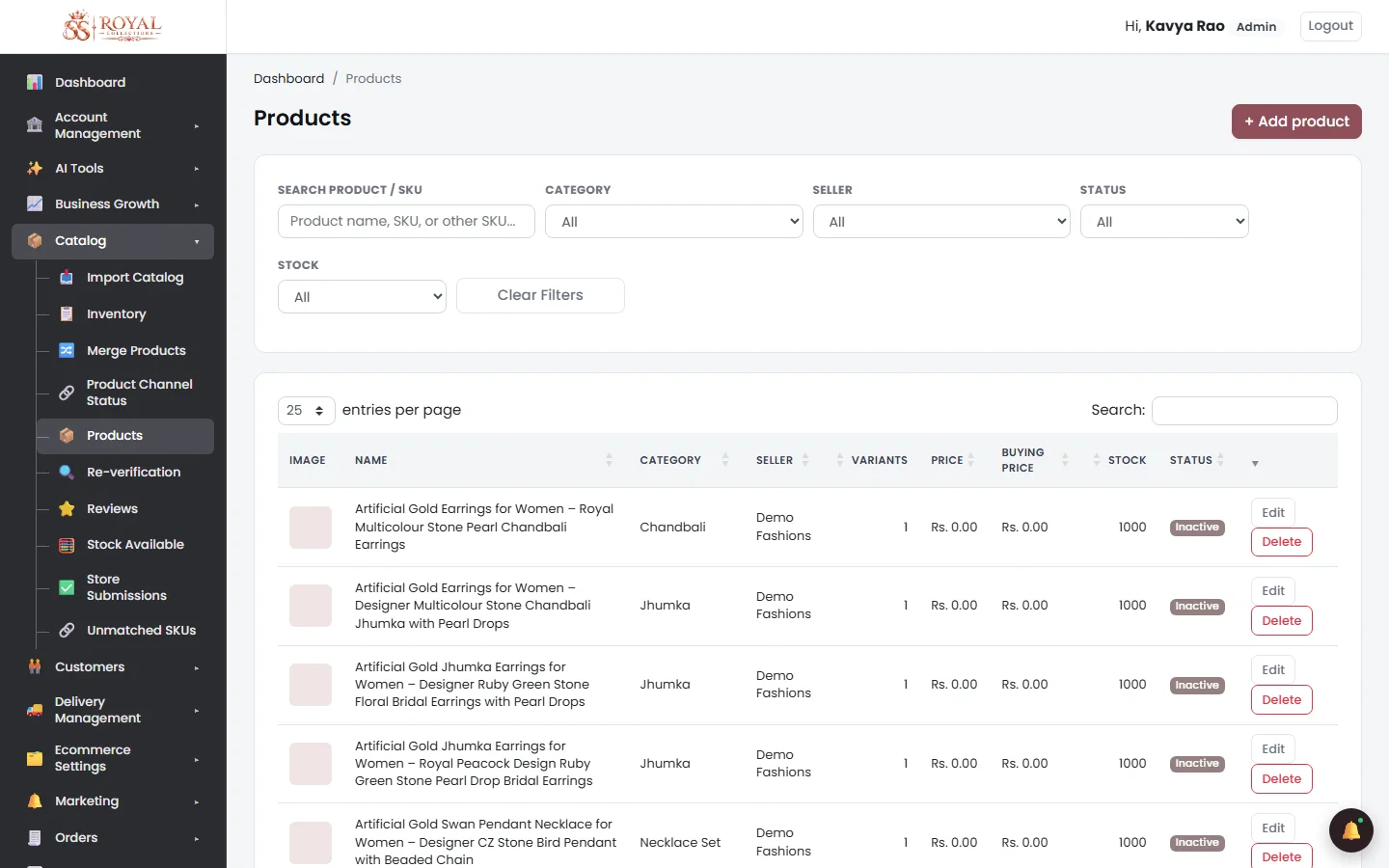
What it does
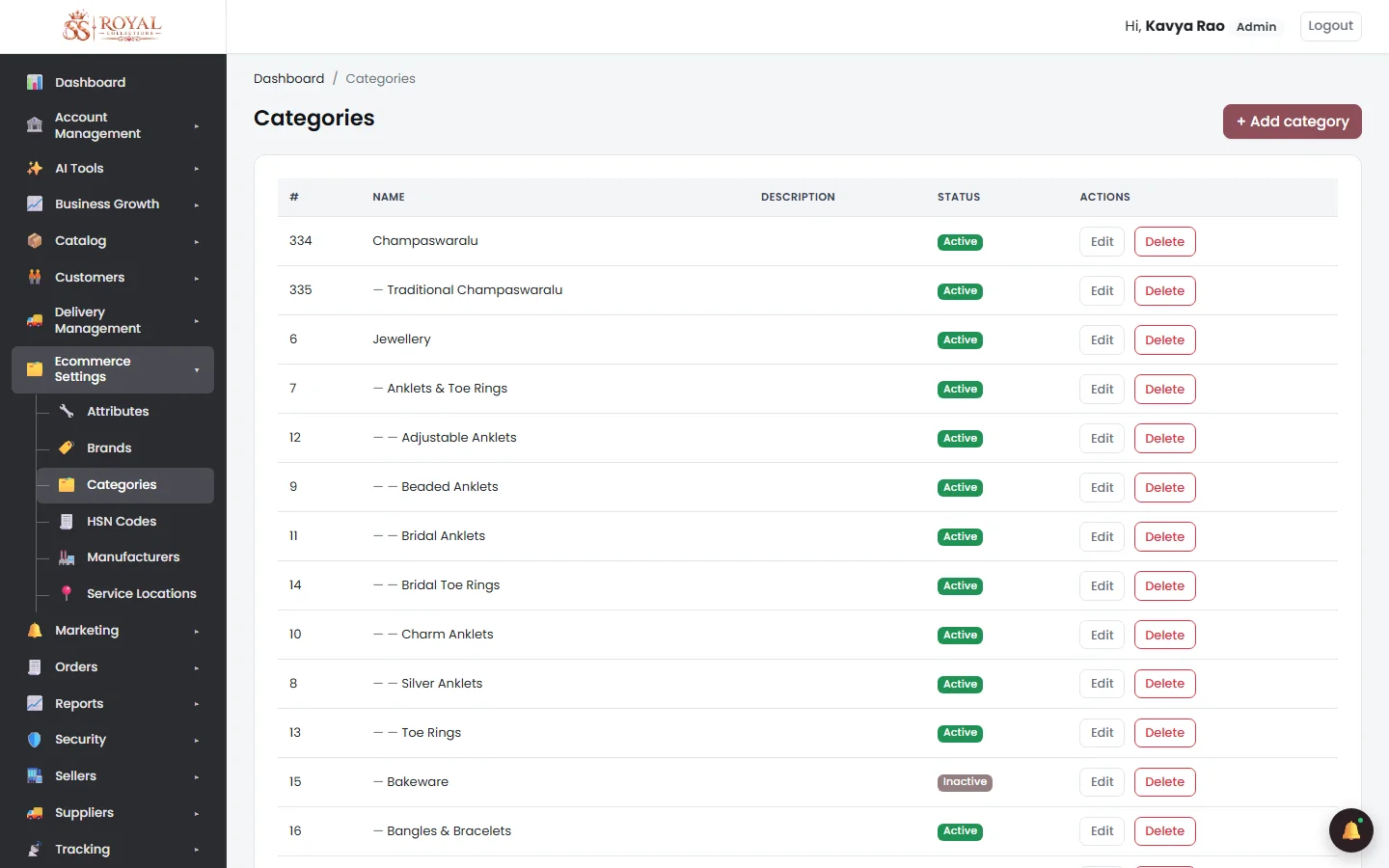
Manage products with unlimited variants, galleries with zoom, HSN / GST, buying and packing cost, other marketplace SKUs and SEO fields. Categories, brands, attributes and HSN codes are fully configurable.
From first click to done
The everyday workflow, step by step.
- 1
Prepare the structure
Create categories, brands, attributes (size, colour…) and HSN codes first — products pick from them.
- 2
Create a product
Add title, description, price, MRP, HSN / GST, buying cost and packing cost, then upload photos.
- 3
Add variants
Each variant has its own price, stock, SKU and photo. Customers see exactly the photo of the variant they choose.
- 4
Link marketplace SKUs
Add the product's other marketplace SKUs so imported orders map to it automatically.
- 5
Fill SEO and publish
Set the SEO title, description and URL, then publish. Thumbnails are generated automatically.
See it in action
Real screens from a live store. Click any screenshot to enlarge. Customer details are replaced with demo data.
Works great with
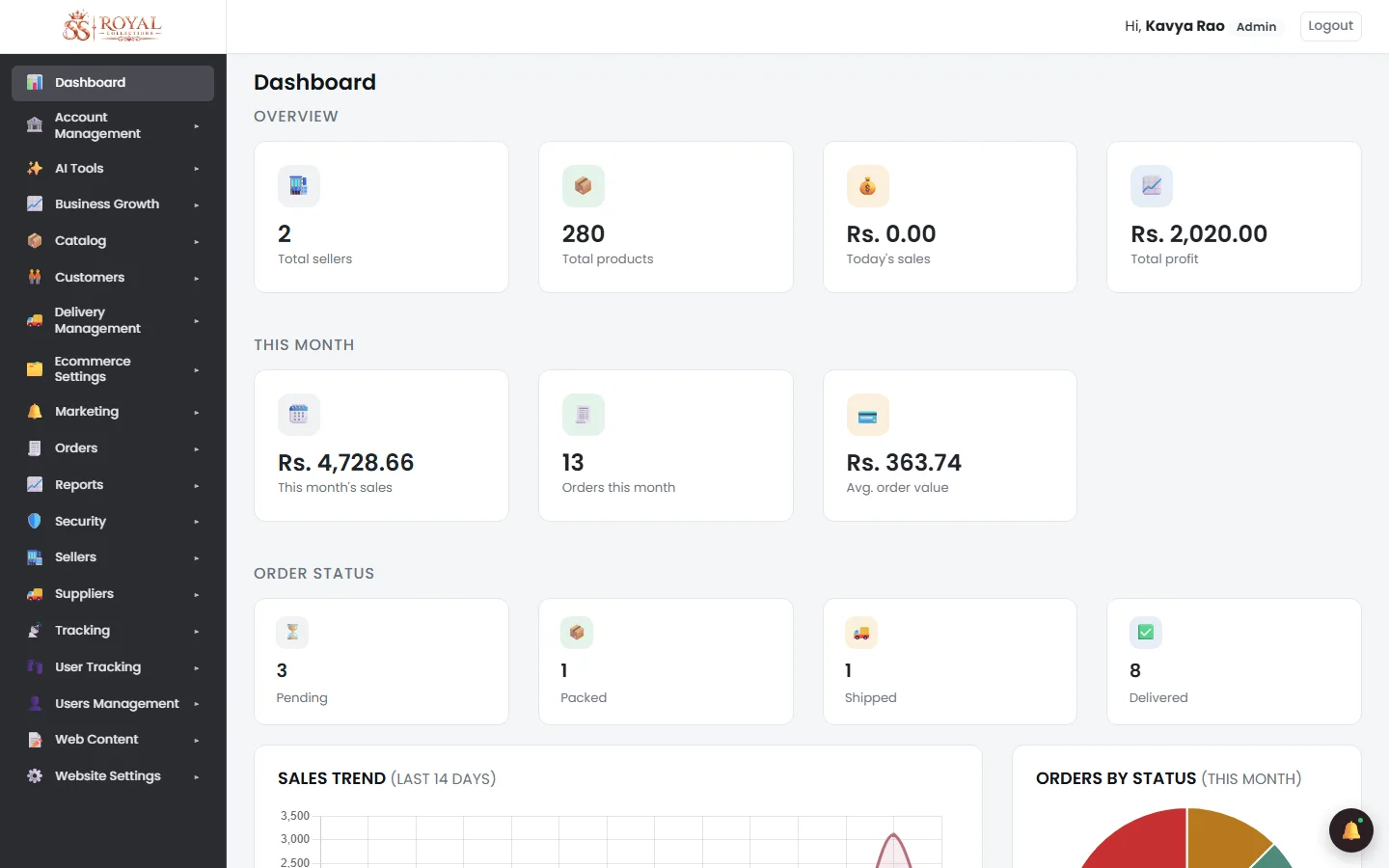
Admin Dashboard
Your whole business on one screen — the moment you log in.
Explore module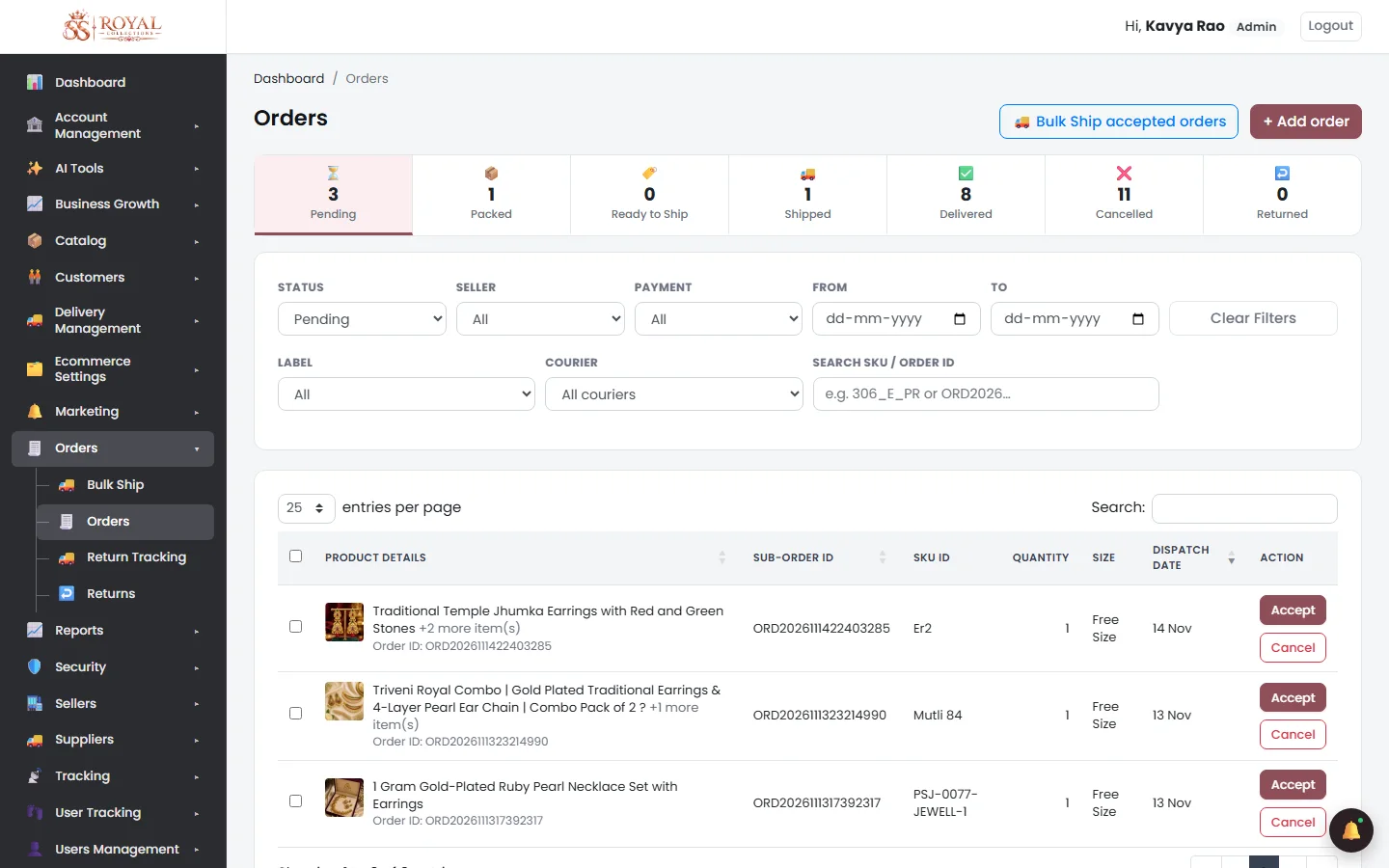
Order Management
Every order from every channel, in one list.
Explore module
Shipping & Labels
Compare couriers, print labels and track parcels — without leaving the panel.
Explore module