
Order Management
Every order from every channel, in one list.
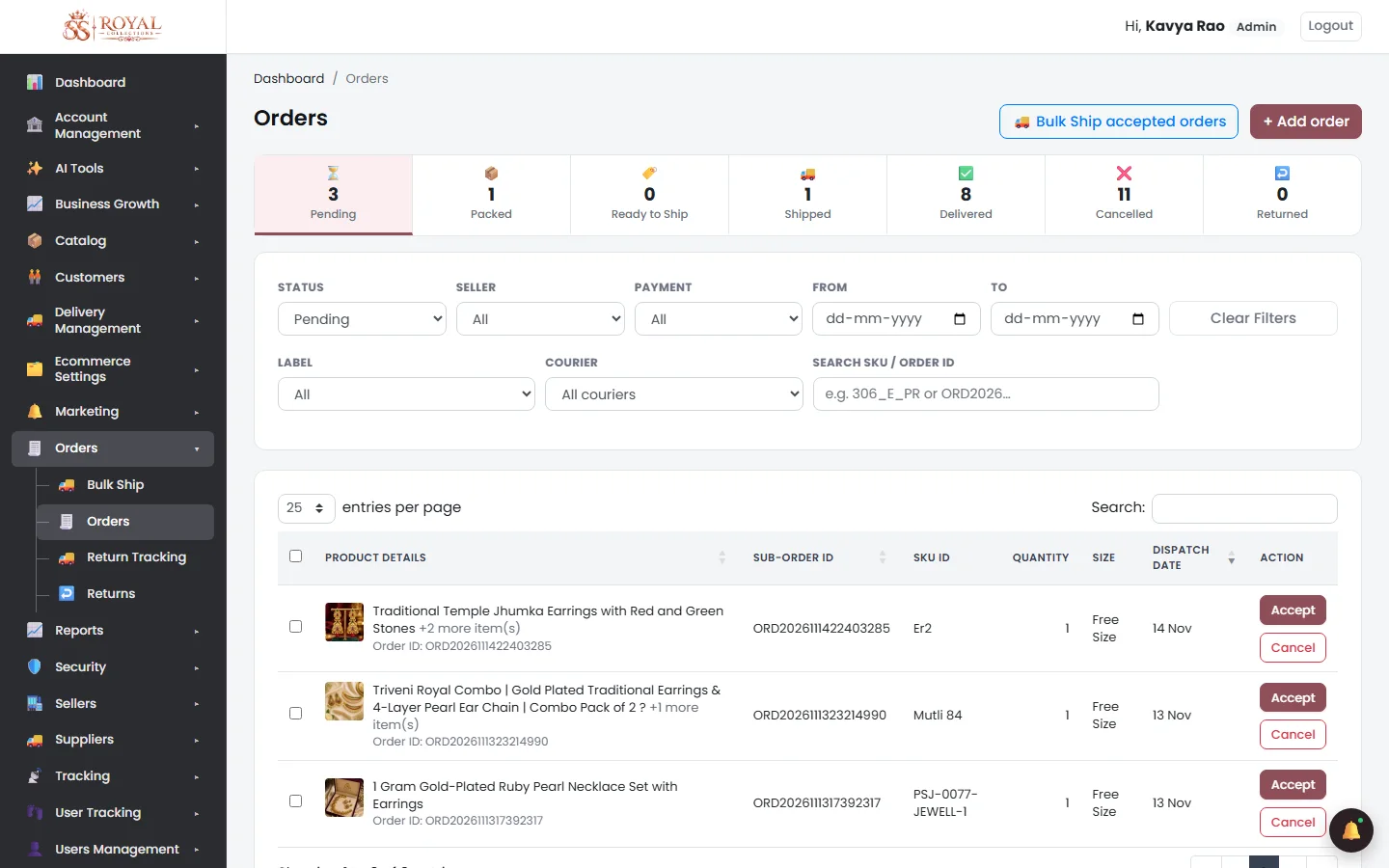
What it does
Website, marketplace and manual orders flow into a single list with status tiles (Pending, Packed, Ready to Ship, Shipped, Delivered, Cancelled, Returned). Filter, search, bulk-update and print in seconds.
From first click to done
The everyday workflow, step by step.
- 1
Pick a status tile
Pending, Packed, Ready to Ship, Shipped, Delivered, Cancelled and Returned tiles show live counts. Click one to filter the list.
- 2
Search and filter
Search by order number, customer, phone or AWB; filter by date, payment method, channel or status.
- 3
Process in bulk
Select orders and change status, print GST invoices or packing labels for all of them at once.
- 4
Open an order
The order page shows items, payment, shipment, return, notes and a full timeline of every change and who made it.
- 5
Create manual orders
Taking an order on the phone or WhatsApp? Create it manually, look up the customer by phone and choose payment status.
See it in action
Real screens from a live store. Click any screenshot to enlarge. Customer details are replaced with demo data.
Works great with
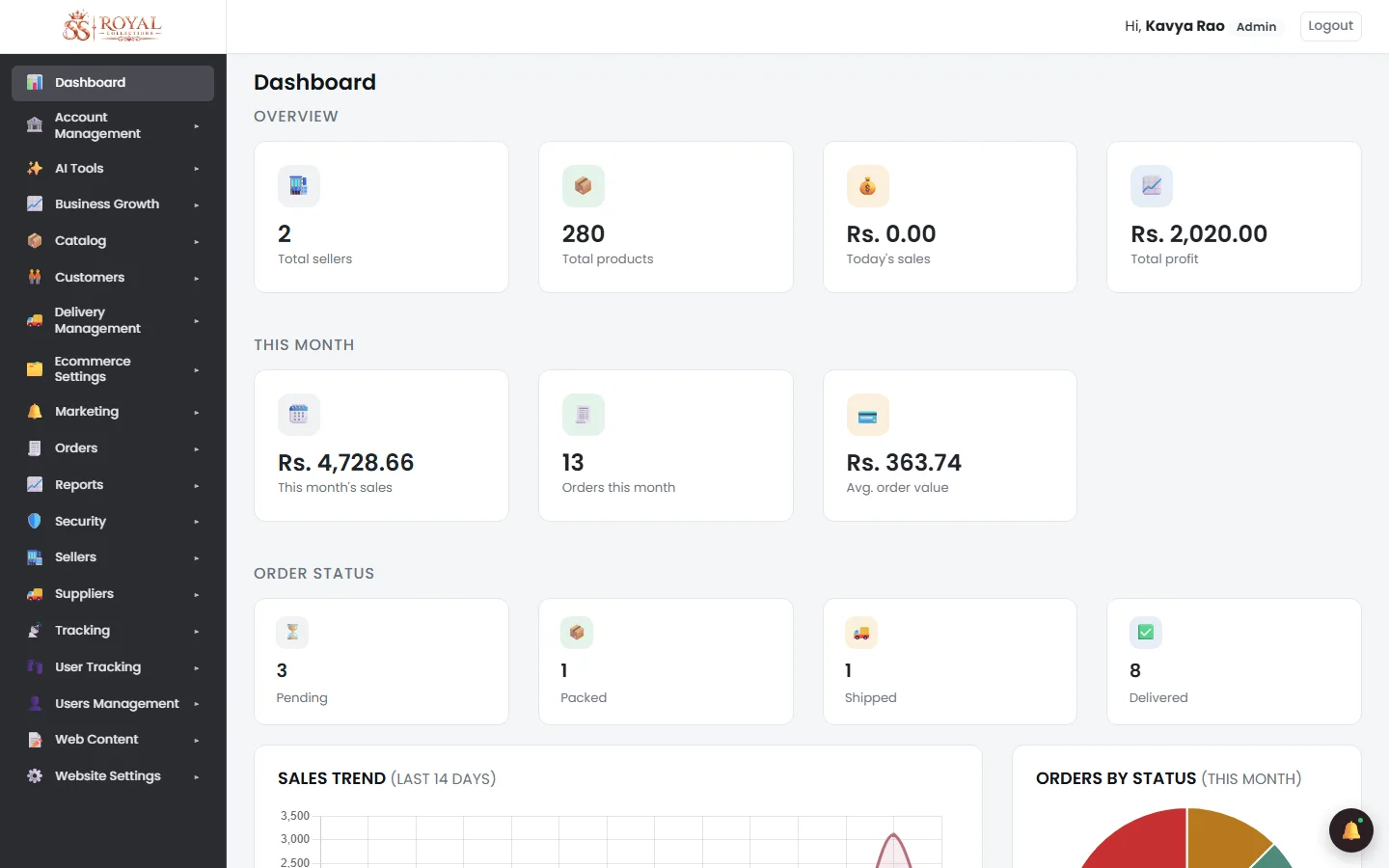
Admin Dashboard
Your whole business on one screen — the moment you log in.
Explore module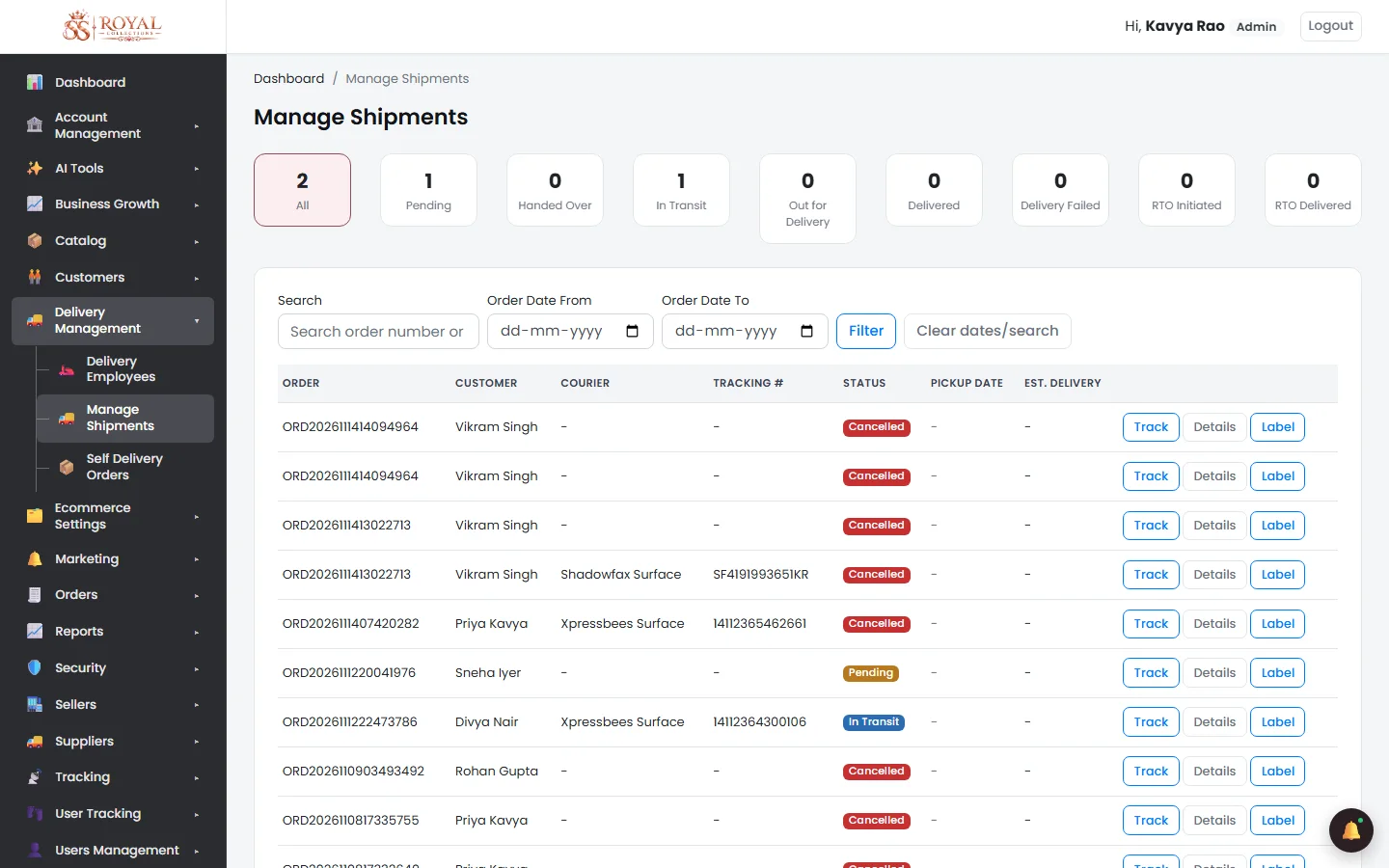
Shipping & Labels
Compare couriers, print labels and track parcels — without leaving the panel.
Explore module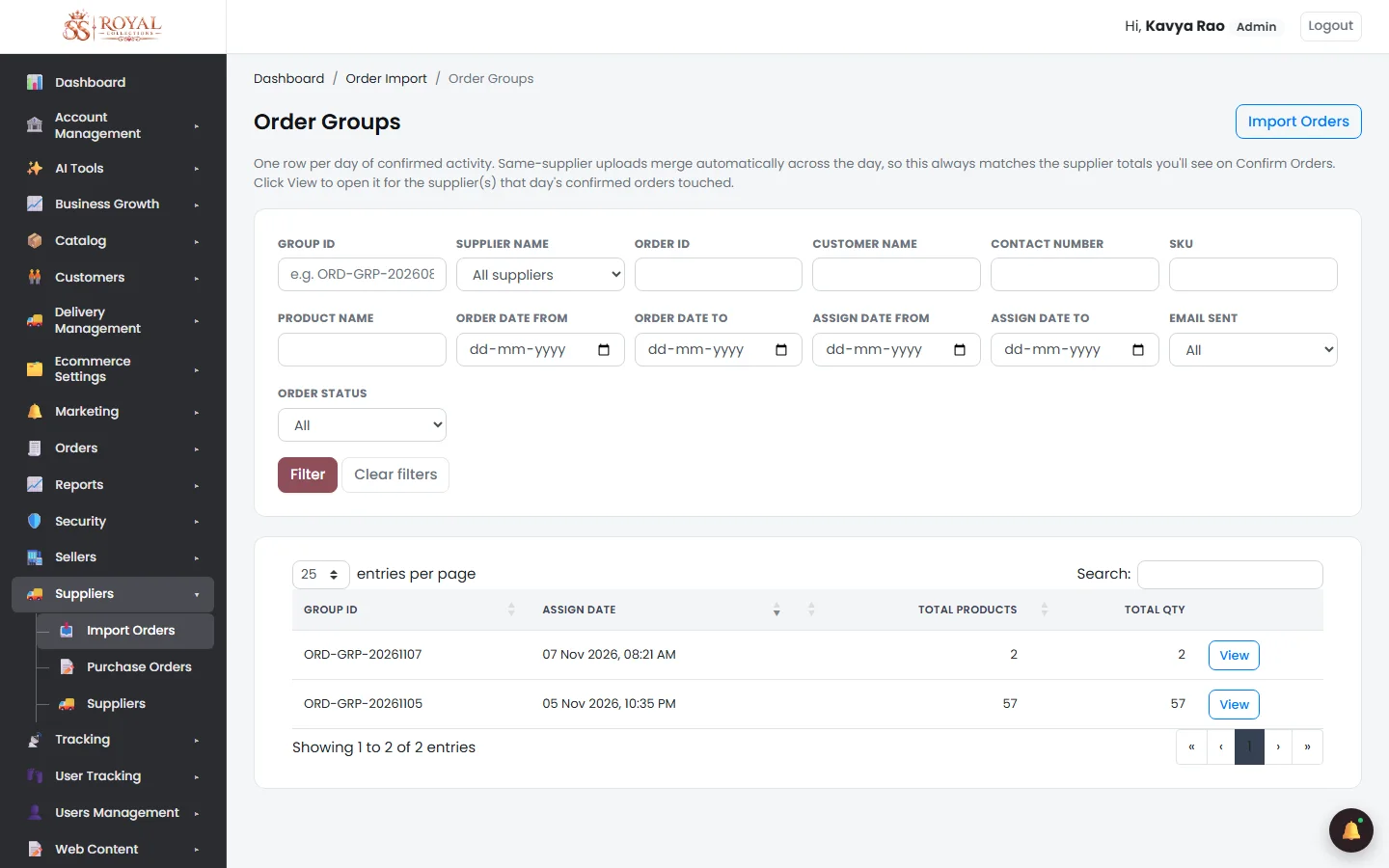
Marketplace Order Import
Meesho, Amazon and Flipkart orders — imported, grouped and assigned in minutes.
Explore module