
Security Center
Bank-grade habits for a small business budget.
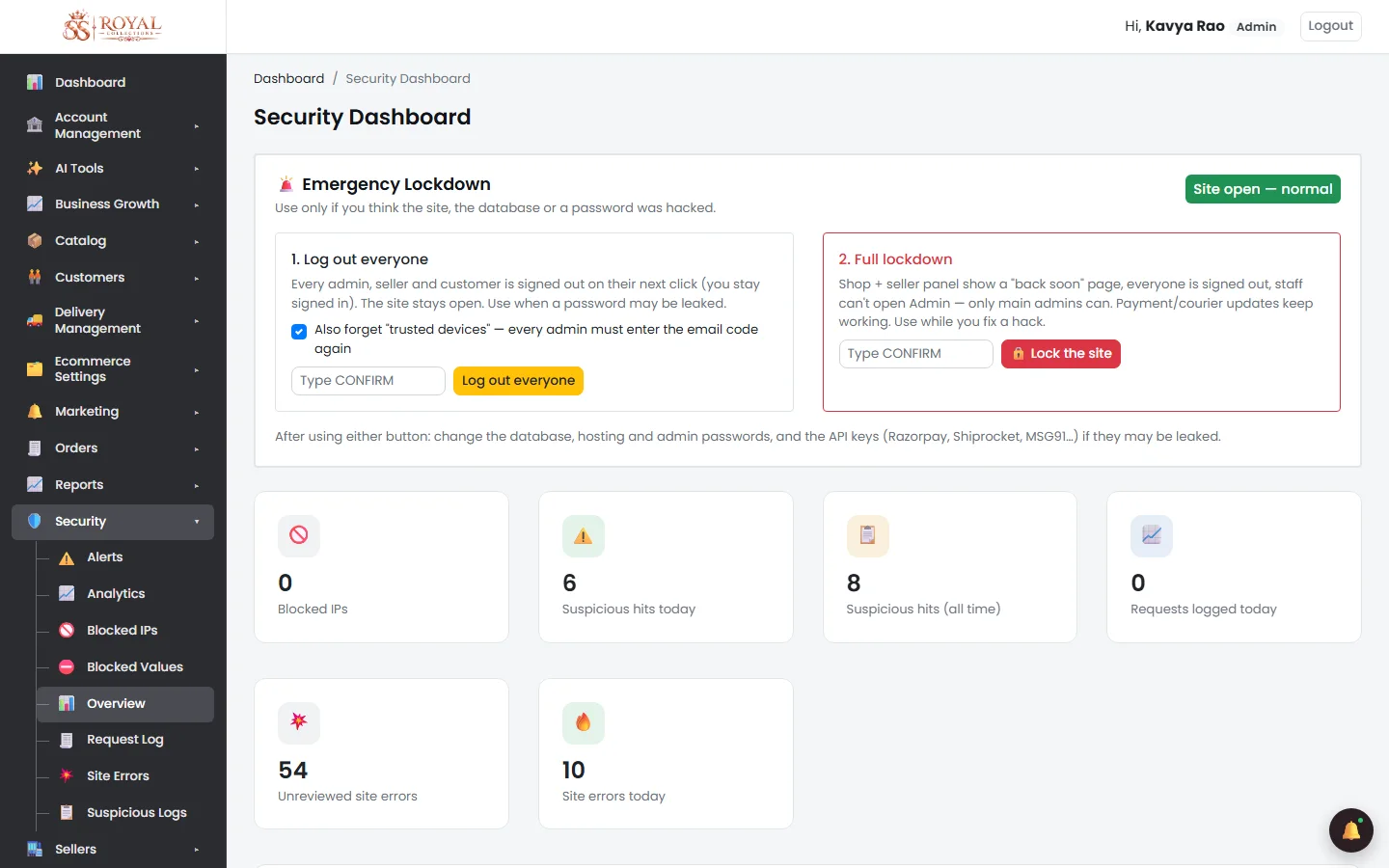
What it does
A firewall that blocks floods and attacks, request and error logs, blocked IPs, admin login protection with trusted devices, encrypted customer bank details, and an Emergency Lockdown button if you ever suspect a breach.
From first click to done
The everyday workflow, step by step.
- 1
Review the dashboard
See blocked requests, suspicious activity and site errors.
- 2
Manage blocked IPs
IPs are blocked automatically on floods or attacks; unblock or add manually.
- 3
Control trusted devices
See and revoke devices trusted for admin login.
- 4
Emergency Lockdown
If you suspect a breach, one click signs everyone out and pauses the store.
See it in action
Real screens from a live store. Click any screenshot to enlarge. Customer details are replaced with demo data.
Works great with
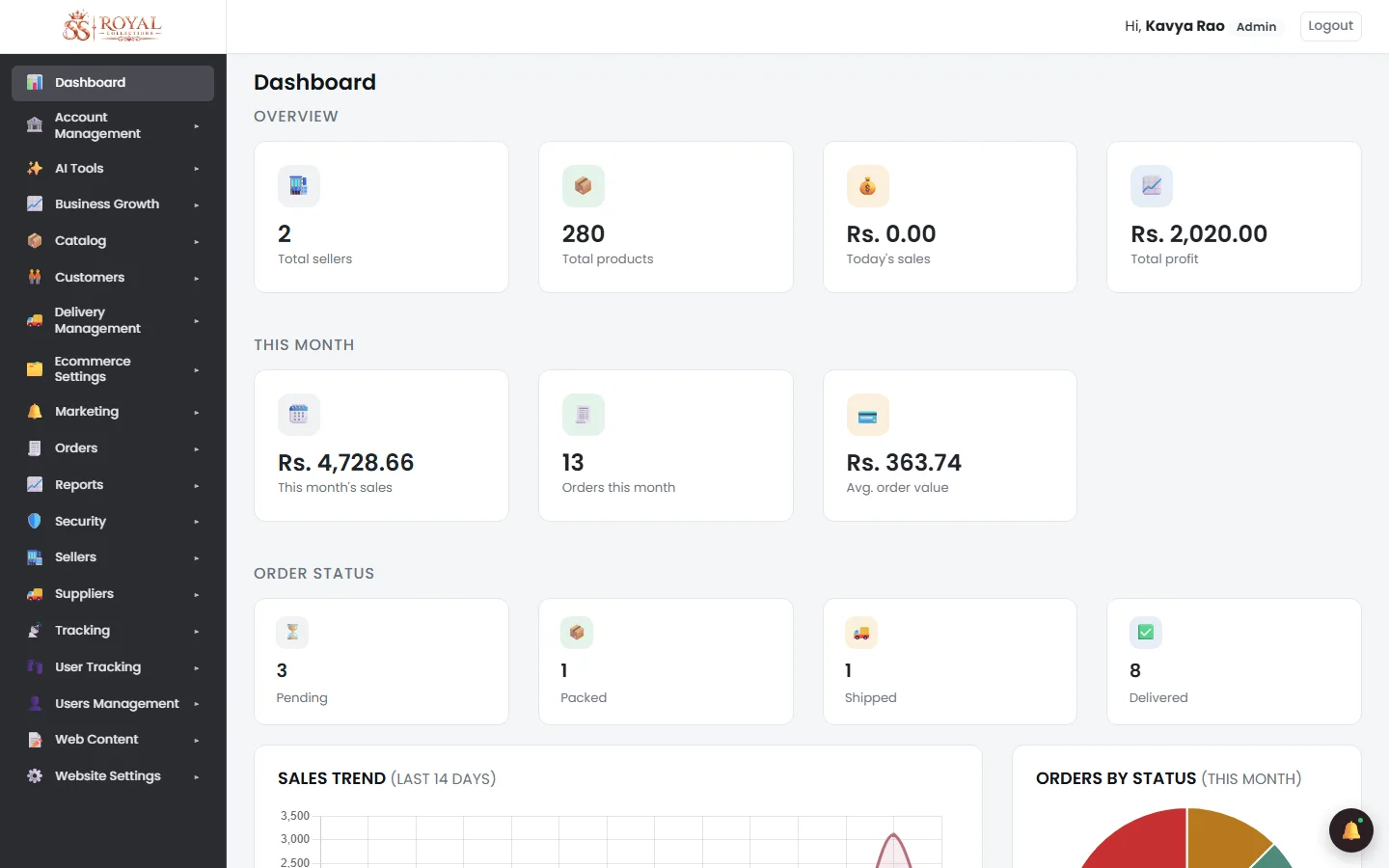
Admin Dashboard
Your whole business on one screen — the moment you log in.
Explore module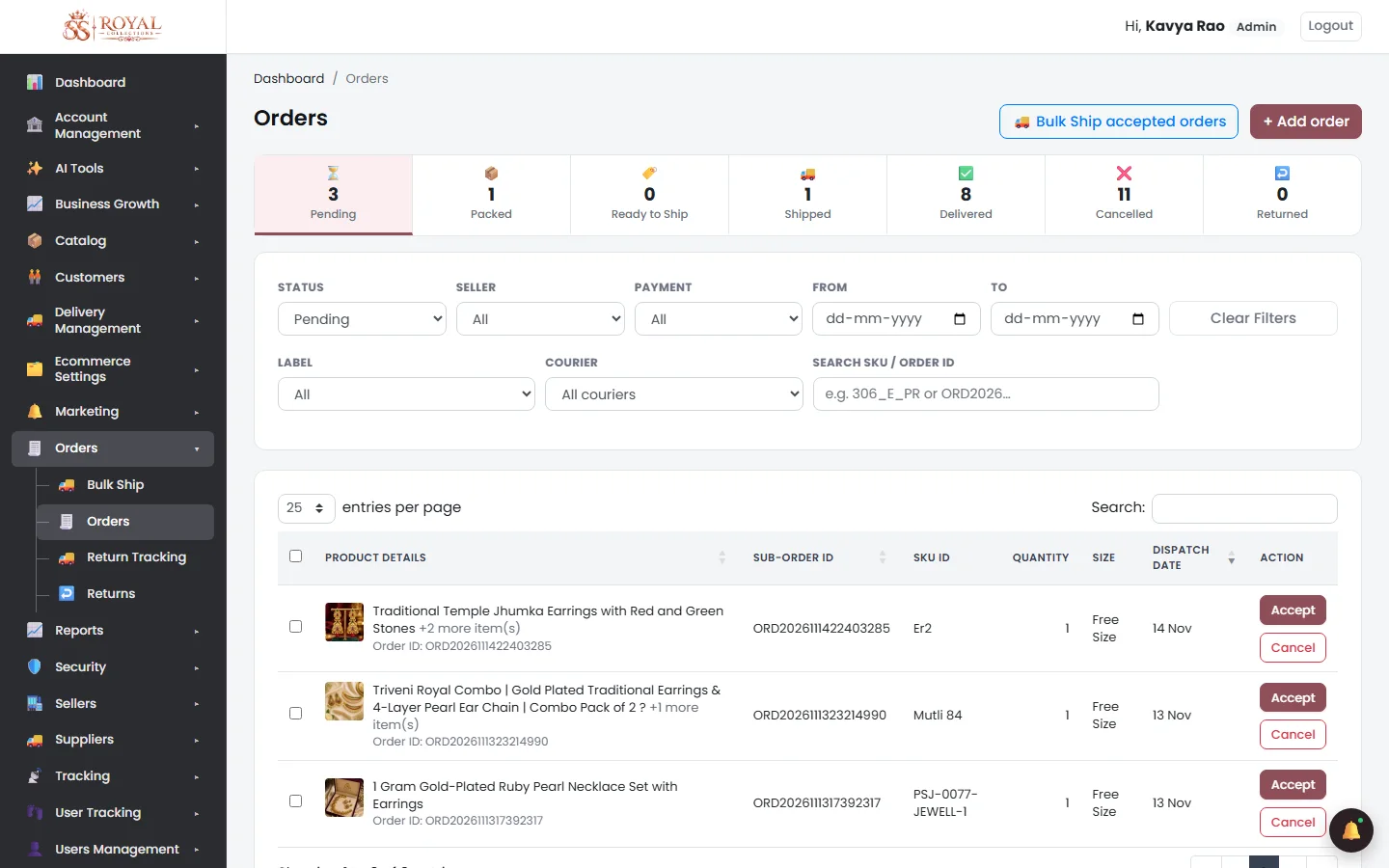
Order Management
Every order from every channel, in one list.
Explore module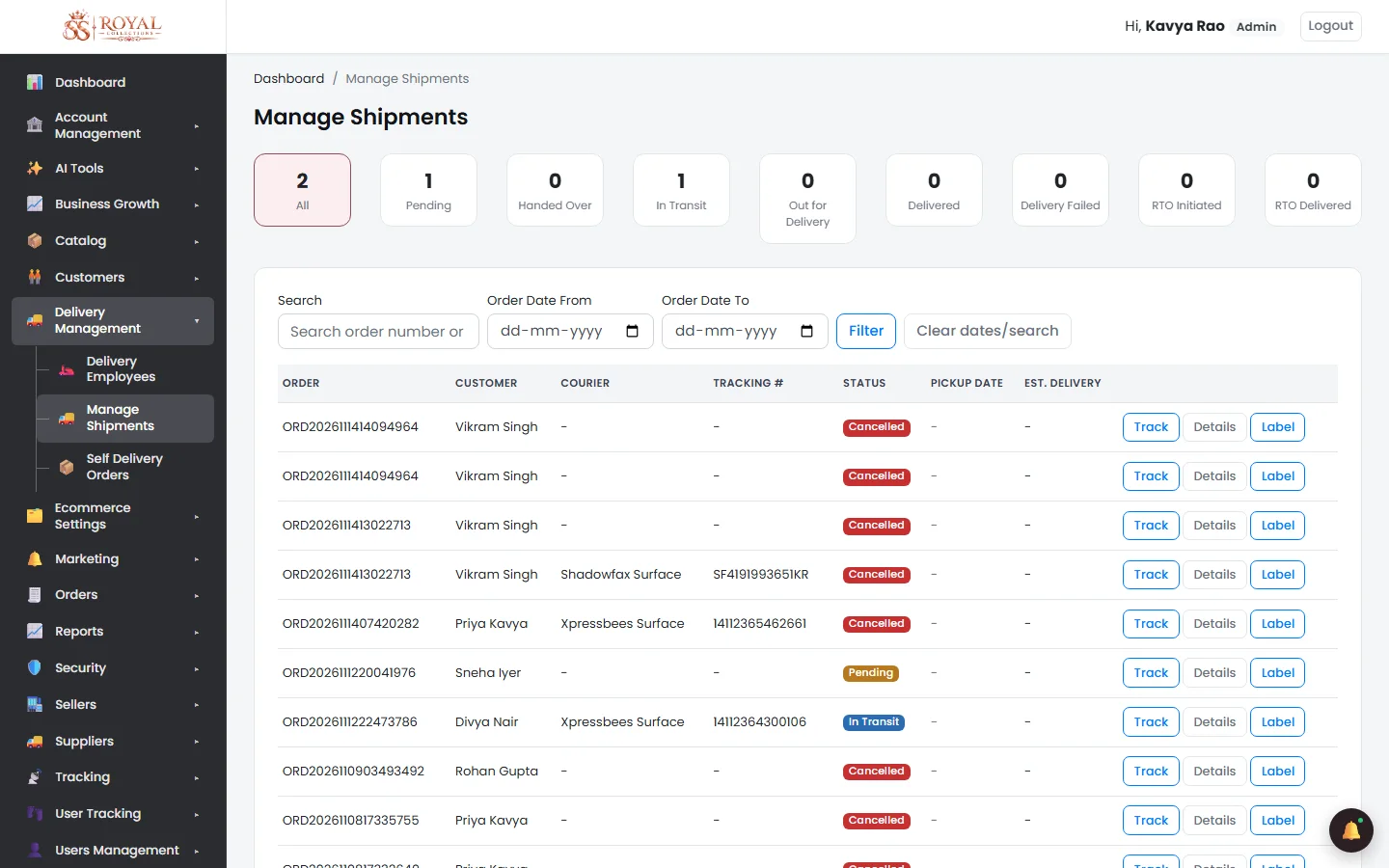
Shipping & Labels
Compare couriers, print labels and track parcels — without leaving the panel.
Explore module